Technical SEO: The Complete Guide to Boosting Website Performance
Introduction to Technical SEO
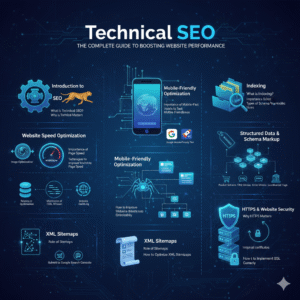
What is Technical SEO?
Technical SEO refers to the backend optimizations that help search engines crawl, index, and rank your website effectively. Think of it like the engine of your car—it’s not always visible, but without it, nothing moves.
Why Technical SEO Matters for Your Website
Without strong technical SEO, even the best content will struggle to rank. Search engines need a clean, fast, and structured website to understand your pages clearly.
Website Speed Optimization
Importance of Page Speed
Nobody likes a slow website—not users, not Google. Speed impacts bounce rate, conversions, and search rankings. A faster site = a better experience.
Techniques to Improve Page Speed
Image Optimization
Use formats like WEBP, compress images, and resize them to reduce load time.
Minification of CSS, HTML, and JS
Removing unnecessary code elements can significantly boost performance.
Browser Caching
Let browsers store static files so your site loads faster for repeat visitors.
Mobile-Friendly Optimization
Importance of Mobile-First Indexing
Google ranks your site based on how it performs on mobile devices. If your mobile experience is weak, your ranking will be too.
Tools to Test Mobile Friendliness
Google Mobile-Friendly Test
PageSpeed Insights
These tools show exactly what needs fixing.
Website Crawlability
What is Crawlability?
Crawlability refers to how easily search engine bots can navigate through your site.
How to Improve Website Crawlability
Robots.txt Optimization
Use robots.txt wisely to control what search engines can and cannot crawl. Avoid blocking important pages.
Website Architecture
A clean site structure helps both users and search engines find information quickly.
Indexing Optimization
What is Indexing?
Indexing determines whether your pages are stored in search engine databases. If your page isn’t indexed, it will never appear on Google.
How to Fix Indexing Issues
Meta Tags
Use “noindex” tags for pages you don’t want search engines to rank.
Canonical Tags
Canonical tags prevent duplicate content issues by telling Google which version of a page is the main one.
Structured Data & Schema Markup
Importance of Schema
Schema markup helps search engines better understand your content, which leads to rich snippets and improved visibility.
Types of Schema You Should Use
Product Schema
FAQ Schema
Article Schema
Local Business Schema
These enhance results and improve click-through rates.
XML Sitemaps
Role of Sitemaps
An XML sitemap acts like a map for search engines, guiding them to all important pages.
How to Optimize XML Sitemaps
Include only indexable pages
Keep it clean and updated
Submit to Google Search Console
HTTPS & Website Security
Why HTTPS Matters
HTTPS protects user data and builds trust. Google prefers secure websites and rewards them with better rankings.
How to Implement SSL Correctly
Install certificates from trusted providers and ensure all URLs redirect to the HTTPS version.
URL Structure Optimization
Best Practices for SEO-Friendly URLs
Keep URLs short
Include keywords
Avoid special characters
Simple URLs help both users and search bots.
Common URL Mistakes
Long, random strings
Keyword stuffing
Mixed-case URLs
Internal Linking Optimization
Benefits of Internal Linking
Internal links improve navigation, boost page authority, and enhance user experience.
Smart Internal Linking Strategies
Link relevant pages
Use descriptive anchor text
Avoid excessive linking
Duplicate Content Issues
What Causes Duplicate Content?
Multiple URLs showing the same content can confuse search engines.
How to Fix Duplicate Content Problems
Use canonical tags
Set correct redirects
Avoid printing and session ID URLs
Technical Site Audit
Tools for Auditing Technical SEO
Screaming Frog
Ahrefs
SEMrush
Google Search Console
How to Conduct a Technical SEO Audit
Check speed, mobile usability, crawlability, indexing, and on-page issues. Fix high-priority errors first.
Common Technical SEO Mistakes
Mistakes That Can Damage SEO
Broken links
Incorrect robots.txt settings
Missing canonical tags
Slow page load times
Avoiding these mistakes ensures long-term SEO success.
Conclusion
Technical SEO is the backbone of any successful website. When done right, it improves visibility, boosts rankings, and helps search engines understand your content better. Whether you’re a beginner or an expert, these strategies will help you build a stronger, more search-friendly site.
FAQs
1. What is the main purpose of Technical SEO?
To help search engines crawl and index your website more efficiently.
2. Is Technical SEO difficult to learn?
Not really—once you understand the basics, it becomes much easier to manage.
3. How often should I perform a technical SEO audit?
At least once every 3–6 months.
4. Can technical SEO improve page speed?
Yes! Speed optimization is a major part of technical SEO.
5. Do small websites also need technical SEO?
Absolutely—size doesn’t matter. Every website needs a strong technical foundation.